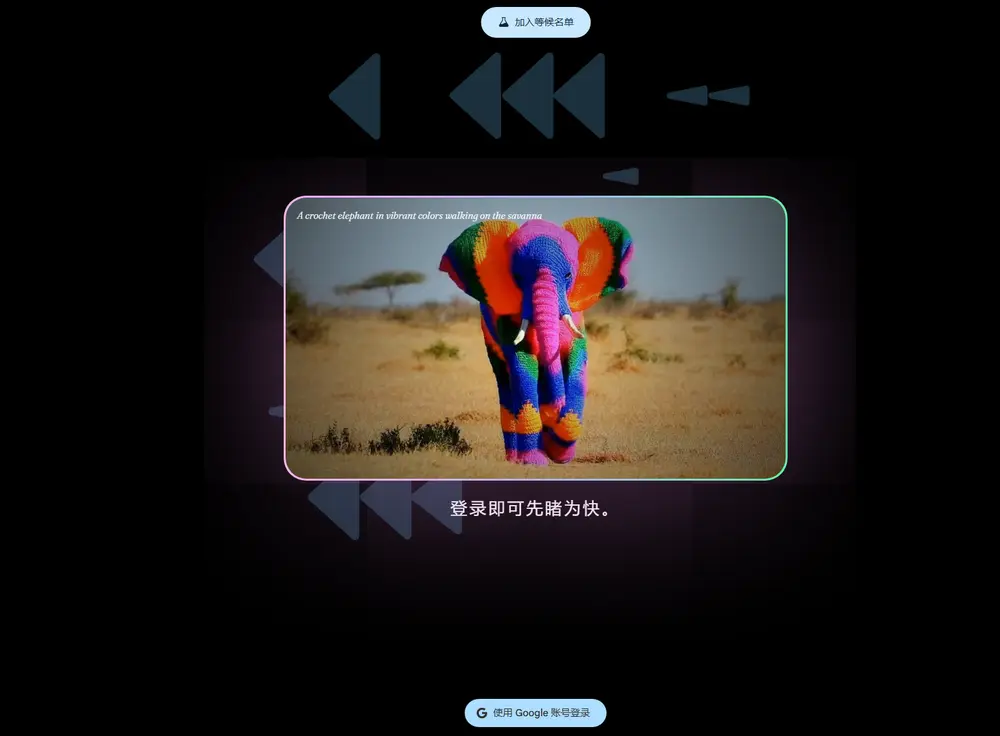
最近,谷歌视频生成模型 Veo 3 在 X 平台上掀起新一轮讨论热潮。多位用户分享了几组极具创意和实用性的提示词模板,不仅生成效果惊艳,而且扩展性强、可复用度高,部分作品甚至可直接作为品牌广告或宣传短片使用。
这些提示词的核心思路是:通过“转换”机制构建视觉叙事——从一个静态起点出发,触发一系列动态变化,最终完成场景、物体或风格的转变。整个过程具备明确的起承转合,天然适配短视频节奏。
(点击进B站可查看其他提示词生成的效果)
本文整理并解析其中最具代表性的四类提示词模式,帮助你快速掌握 Veo 3 的高效创作方法。
1. 房间转换:箱子爆炸变主题空间
这类提示词以“密封盒子”为引子,通过“打开—爆发—组装”的动态流程,将空房间瞬间转变为特定主题空间。只需替换关键词,即可适配不同品牌或场景需求。
示例一:Hello Kitty 主题房
{
"description": "Photorealistic cinematic shot of an empty pastel-pink bedroom with white wood floors and soft daylight streaming in. A sealed Hello Kitty box with a pink bow sits in the center. It wiggles, then bursts open in a bright, sparkly puff. The room transforms instantly.",
"style": "photorealistic cinematic",
"camera": "fixed wide angle, front-facing for symmetrical reveal",
"lighting": "soft, diffused natural light with subtle pink glow accents",
"room": "blank pastel bedroom transformed into a Hello Kitty sanctuary",
"elements": [
"Hello Kitty box (logo and bow visible)",
"Hello Kitty bedding and pillows",
"plushies (Hello Kitty, My Melody, Cinnamoroll, Kuromi)",
"wall art or framed posters",
"floating shelves with figurines and pastel accessories",
"vanity with mirror and pink chair",
"Hello Kitty lamp or neon sign",
"heart rug or fluffy floor mat",
"bow-shaped throw pillows"
],
"motion": "box opens, cute Sanrio items explode out and assemble rapidly and precisely",
"ending": "soft, cozy Hello Kitty room glowing with pink warmth and charm",
"text": "none",
"keywords": ["16:9", "Hello Kitty", "Sanrio", "pastel bedroom", "fast assembly", "no text", "photorealistic", "pink explosion", "cozy kawaii"]
}
优化版:
Camera Instruction : Single fixed camera, wide-angle lens, one continuous shot, no camera cuts or movement. Main Description : The scene begins in a sunny, empty room. In the center sits a cardboard box with a cute cat face drawn on it with a marker. The box wiggles slightly, lets out a soft meow, and then bursts open! Countless yarn balls, scratching post parts, soft cushions, and cat toys gush out. A giant cat tree grows rapidly from the floor like a real tree, complete with leafy platforms; a scratching post wraps itself with sisal rope and stands in a corner; feather wands dance through the air before landing in a toy basket. Once everything is perfectly in place, a fluffy orange cat walks in with elegant steps, curiously observing its new paradise, and finally curls up comfortably on a soft cushion. Core Elements : Cardboard box with a cat face, large cat tree, scratching posts and pillars, various cat beds and cushions, wall-mounted cat shelves, a window hammock, an automatic water fountain, cat toys (feather wands, jingle balls, toy mice), a rug with a paw-print pattern. Motion & Atmosphere : Full of playful fun and whimsy, various cat supplies assemble automatically in a lively, charming way, ultimately creating a warm, cozy, and safe paradise built perfectly for a cat. Keywords : 16:9, one take, no cuts, dynamic assembly, photorealistic, cat, cute, cat room, pet paradise, heartwarming, no text.示例二:加入人物互动(增强叙事感)
在基础模板上增加人物反应,提升故事性和幽默感,更适合用于生活类产品推广。
{
"scene and action": "A woman stands in a completely empty kids bedroom in the morning light. A sealed box labeled 'Kids Room in a Box' rattles and opens. Colorful furniture pieces rapidly assemble — sliding, snapping, unfolding automatically. As the bookshelf clicks into place and the bed rolls in, she watches calmly, takes out her phone, and says, 'Let’s see... husband in a box?'",
"camera angle": "fixed static",
"lighting": "natural soft morning light",
"room": "kids bedroom",
"ratio": "16:9",
"character": "blonde woman",
"voice": "joyful and funny",
"furniture": [
"low bed with animal-print sheets",
"toy storage",
"bookshelves",
"desk and chair",
"wall decals",
"rug",
"plush toys",
"bean bag",
"child’s wardrobe",
"curtains",
"carton box with text 'Kids Room in a Box'"
],
"action and motion": "box opens, elements move quickly into place, sliding, folding, stacking automatically",
"keywords": ["kids room", "no text", "fast motion", "pastel tones", "room design"]
}
优化中文版:
在一个充满趣味的一镜到底镜头中,经典的乐高标志将分解为无数色彩斑斓的积木颗粒,并在空中自动拼搭成一个充满想象力的模型。 详细场景描述: 画面始于一个纯白背景前,标志性的红色方形乐高(LEGO)标志静静悬浮。整个过程将由一个流畅、不间断的镜头完成。 标志突然轻微晃动,随后“咔”的一声,它分解为“L-E-G-O”四个独立的字母积木。紧接着,这四个字母再次爆开,化作一场五彩斑斓的积木“阵雨”倾泻而下。这些红、黄、蓝、白的标准积木颗粒在空中飞舞、旋转,被一股无形的力量牵引,以极快的速度和精准度相互“咔哒、咔哒”地扣合在一起。镜头可以跟随其中一块关键积木,看它如何找到自己的位置。最终,这些积木在空中完美地拼装成一个活泼的乐高小汽车模型。 核心创意: 标志的解构与充满乐趣的重组。 镜头与运镜: 严格的一镜到底(Single take / One-shot),可以带有趣味性的轻微环绕运镜,以展现拼搭过程的动态感。 整体风格: 充满童趣、活泼、有创造力、令人满足。 灯光: 明亮、均匀、欢快的影棚灯光,让积木的色彩显得格外鲜艳。 环境: 纯白或浅灰色的极简背景,以最大限度地突出乐高积木的色彩。 核心元素: 经典的乐高标志 分解后飞舞的各色积木颗粒 空中自动拼搭的过程 最终成型的乐高模型 音效: 背景音乐: 轻快、俏皮的旋律,可使用木琴、打击乐等乐器。 特效音: 整个过程的核心是乐高积木相互扣合时清脆、悦耳、富有节奏感的“咔哒”声。 结尾: 拼搭完成的乐高模型完美地静置在画面中央。画面淡出为白色。全程无任何文字。✅ 适用场景:儿童家具、家居品牌、快装产品广告
🔄 扩展建议:将 “Kids Room” 替换为 “Home Office”、“Gaming Room” 或 “Yoga Studio”,即可快速生成对应主题短片。
2. Logo 转换:从标志到产品的一镜到底
这是典型的“品牌揭晓”式镜头设计,非常适合用作广告结尾的高潮分镜。Logo 动态变形为实物,兼具视觉冲击力与品牌识别度。
示例:可口可乐玻璃瓶诞生
{
"description": "Fixed wide-angle cinematic shot of a sunlit white backdrop. The Coca-Cola logo, drawn in flowing red script, floats midair with a soft glow. The letters ripple like liquid, collapse into a glossy red stream, and spiral downward. The stream forms the silhouette of a classic glass bottle, which crystallizes, covered in condensation. A 'pssst' sound is heard as the cap pops off and fizzy bubbles rise.",
"style": "cinematic, nostalgic, sensory",
"camera": "fixed wide angle",
"lighting": "warm natural lighting with soft highlights and slight backlight",
"environment": "white studio backdrop with faint texture",
"elements": [
"Coca-Cola logo (red script)",
"liquid transformation stream",
"glass Coca-Cola bottle",
"fizz bubbles and condensation",
"pop of the bottle cap",
"reflections on the glass"
],
"motion": {
"type": "logo-to-liquid-to-object",
"details": "logo ripples and melts into red stream, which forms the bottle and opens"
},
"ending": "The bottle stands upright, open, cold and glistening. Fade to black.",
"audio": {
"voice_over": "none",
"music": "gentle nostalgic acoustic strum or soft jazz piano",
"sfx": "liquid ripple, bottle forming, fizz, bottle cap 'pssst'"
},
"text_overlay": "none",
"format": "16:9",
"keywords": ["Coca-Cola", "glass bottle", "liquid transformation", "nostalgia", "brand reveal", "cinematic"]
}
✅ 适用场景:饮料、电子产品、奢侈品等品牌的视觉包装
🔄 扩展建议:将 Coca-Cola 替换为 Apple、Nike、Tesla 等品牌,实现“Logo → iPhone”、“Swoosh → 运动鞋”、“T 字标 → 汽车”的转换。
3. 像素风格转换:经典影视变 16-bit 游戏
将电影名场面转化为复古像素风游戏场景,既致敬经典,又赋予新意。这种“媒介迁移”手法在社交媒体上极易引发共鸣。
示例:《黑客帝国》子弹时间变像素游戏
Source Material: The Matrix Classic Scene Description:At the top of a skyscraper, in a torrential downpour, Neo, having just rescued Morpheus, stays behind to cover his allies' escape, facing his nemesis, Agent Smith. When Smith draws his signature Desert Eagle and fires, Neo's latent potential as "The One" fully awakens. He no longer dodges but leans back, defying the laws of physics, as time itself seems to slow down. Bullets trail past him with a visible, rippling distortion of the air. This is the birth of the iconic "bullet time" in cinema history, symbolizing the awakening of Neo's belief in himself. Core Characters: Neo: At this moment, he is in the midst of his transformation from a confused programmer to the awakened savior. He wears his iconic long black trench coat and sunglasses, his expression focused and calm, filled with a newfound power and conviction. Agent Smith: A sentient program within the Matrix, appearing in human form. His actions are efficient, cold, and relentless. He wears a standard business suit, an earpiece, and sunglasses. He is the embodiment of control and the most formidable obstacle on Neo's path to awakening. Game Art Style: Pixel Art (16-bit Style) Game Genre: Side-Scrolling Action Shooter Gamified Scene Recreation: The classic "bullet time" sequence is translated into a retro pixel art aesthetic with gameplay focused on precise movement and shooting. Visuals:The entire scene is a side-scrolling view rendered in a 16-bit pixel art style. The color palette is predominantly dark green and gray, reflecting the rainy night. Pixelated raindrops fall visibly, creating subtle reflections on the blocky rooftop tiles. The background features a low-resolution cityscape with simple, flickering pixelated neon signs written in a generic digital font. The player controls "Neo," depicted as a sprite with clear pixel definition, wearing his long black coat and sunglasses. When "Agent Smith," another similarly detailed sprite in a black suit and sunglasses, fires his weapon (represented by a small burst of pixels), the game enters a visual "bullet time" effect. While not a true slowdown of the game engine in the traditional sense of modern "bullet time," the animation of the bullets (larger, more distinct pixel shapes with a short trail of lighter pixels) becomes noticeably slower, and Neo gains a slightly increased window for movement. His dodge maneuver is a deliberate, frame-by-frame animation of him leaning back, perhaps with a slight pixelated "blur" effect to convey speed. User Interface (UI): Top Left: A pixelated green bar represents Neo's health. Below it, a smaller, yellow pixelated bar indicates a "Focus" meter, which might be consumed by performing special actions or entering a heightened state reminiscent of his growing powers. Top Right: A simple pixelated score counter and possibly a combo counter that increases with rapid, successive shots. Bottom Right: Icons representing Neo's currently equipped weapon (initially just fists, but potentially gaining access to pixelated firearms) and a numerical display of his ammo count (if applicable). Music & Sound (Audio): Background Music (BGM): A synthesized, chiptune rendition of a track from The Matrix soundtrack, perhaps a 16-bit interpretation of "Spybreak!" or another iconic theme, featuring driving rhythms and digitized instruments. Sound Effects (SFX): Blocky, digitized gunshots ("pew-pew!"). A distinct "whizz" or "zip" sound effect for the pixelated bullets as they travel through the air. A simple "thunk" sound when a character is hit. A brief, digitized sound effect to signify the activation of a "Focus" state.原始场景回顾:暴雨中的高楼顶,Neo 面对 Agent Smith 的连发子弹,首次觉醒“子弹时间”能力,身体后仰,子弹划过空中留下波纹轨迹。
游戏化重构要点:
- 艺术风格:16-bit 像素美术,暗绿与灰为主色调
- 视角:横版卷轴动作射击
- 角色精灵:
- Neo:黑色长风衣 + 墨镜,有逐帧后仰动画
- Agent Smith:西装墨镜,开枪时释放像素弹道
- 核心机制:
- “子弹时间”表现为弹道移动变慢,玩家操作窗口延长
- 加入“Focus”能量条,消耗后进入短暂超速状态
UI 设计:
- 左上角:绿色血条 + 黄色 Focus 计量条
- 右上角:得分与连击计数
- 右下角:武器图标与弹药数量
音效与音乐:
- BGM:芯片音乐版《Spybreak!》
- SFX:数字枪声(“pew-pew”)、子弹飞行“zip”声、命中“thunk”
✅ 适用场景:游戏宣发、IP 联动、怀旧营销
🔄 扩展建议:可用于《阿凡达》→ 卡通风游戏、《银翼杀手》→ 赛博朋克像素 RPG 等。
4. 游戏变话剧:社区剧场风格重构
另一类热门提示是将电子游戏场景转化为“社区剧场演出”,利用反差感制造幽默或温情氛围。
提示词模板:
[game name] as a community theater production示例:《最后生还者》社区剧版
想象一下:
- 舞台布景简陋,用纸板做出废墟城市
- 演员穿着自制皮夹克,手持泡沫塑料改装的步枪
- Ellie 的台词认真而稚嫩:“我们能活下去……我相信你。”
- 观众席传来轻微笑声与掌声
这种处理方式弱化了原作的沉重感,转而突出“人类情感”的普适性,适合用于文化类内容或公益宣传。
✅ 适用场景:游戏改编短片、教育项目、非营利组织传播
🔄 扩展建议:The Legend of Zelda as a school play、Cyberpunk 2077 as a local theater performance
总结:四类提示词的核心逻辑
| 类型 | 核心机制 | 适用方向 |
|---|---|---|
| 房间转换 | 盒子开启 → 元素爆发 → 快速组装 | 家居、电商、快消品广告 |
| Logo 转换 | 图形流动 → 实物成型 → 感官细节 | 品牌揭晓、产品发布 |
| 像素转换 | 影视还原 → 风格迁移 → 游戏机制映射 | 怀旧营销、IP 衍生 |
| 游戏变话剧 | 数字世界 → 真人演绎 → 场景降级 | 文化传播、幽默内容 |
使用建议
- 保持结构清晰:起始状态 → 触发事件 → 动态过程 → 最终画面
- 控制信息密度:每段提示聚焦一个核心转换,避免元素堆砌
- 善用感官描述:加入声音、光影、材质细节,提升真实感
- 保留“无文本”原则:避免画内文字,更利于跨语言传播
© 版权声明
文章版权归作者所有,未经允许请勿转载。